Standalone App
The standalone app is Sitala without a DAW: great for finger drumming, practicing with a pad controller, or auditioning and building kits. It has all the same features as the plugin, except multiple outputs and collecting samples into REAPER projects. Keyboard control — playing pads from your computer keyboard and the shortcuts below — only works in the standalone app.
Audio and MIDI settings
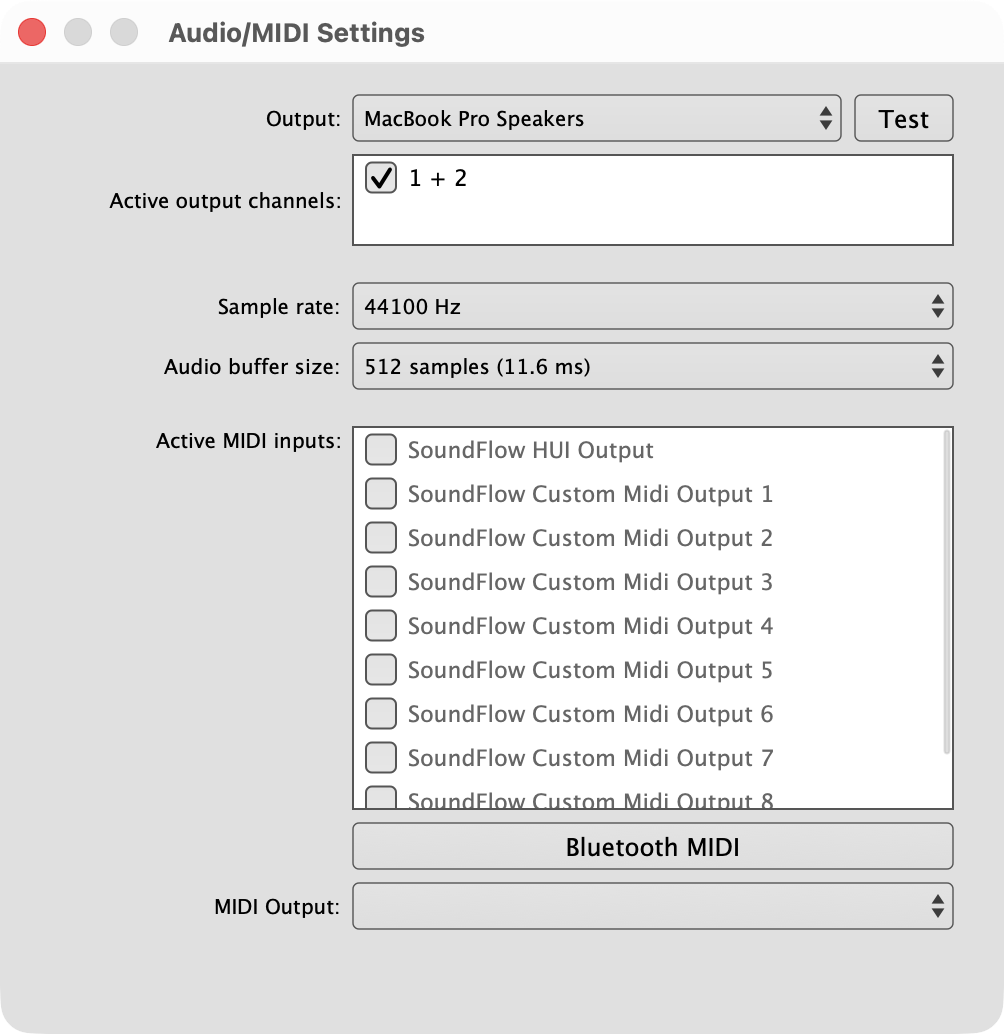
Choose Show Audio/MIDI Settings… from the options menu (⌘, / Ctrl+,).
On Windows, the dialog looks like this:
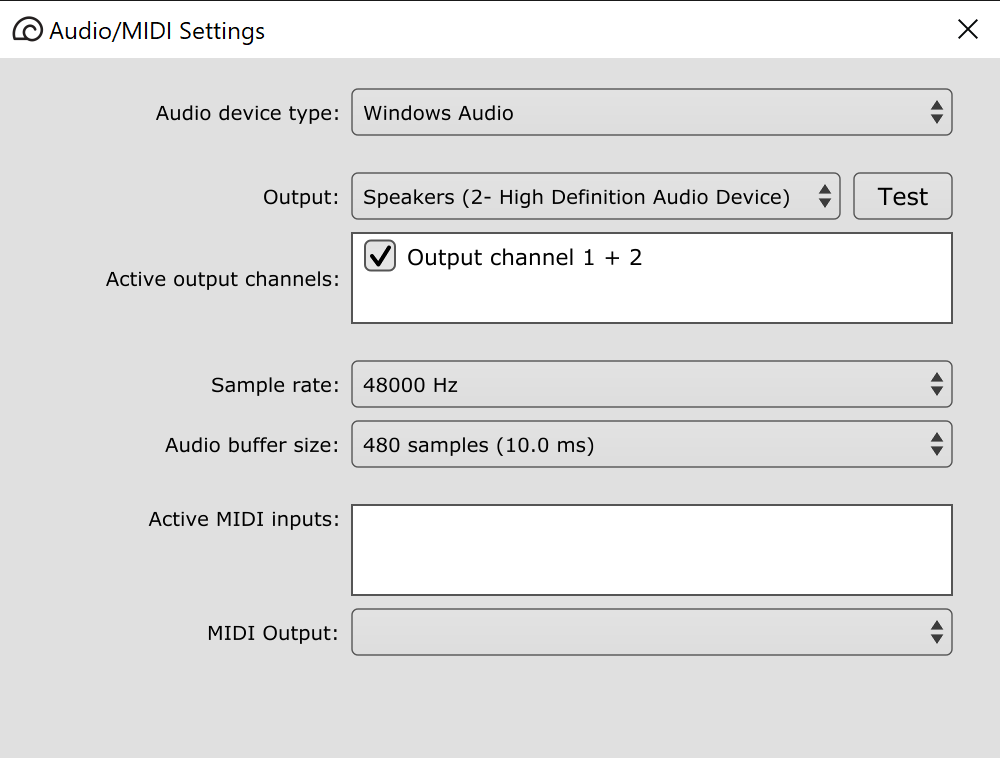
- Audio device type (Windows only) — Windows Audio, Windows Audio (Exclusive Mode), Windows Audio (Low Latency Mode) or DirectSound. Start with Windows Audio; try the other Windows Audio modes if you want lower latency.
- Output — your audio interface. Test plays a short tone.
- Sample rate and Audio buffer size — smaller buffers mean less delay between hitting a pad and hearing it, but use more CPU.
- Active MIDI inputs — check the controllers you want to play Sitala with. Nothing plays from MIDI until at least one input is checked.
The MIDI Channel submenu in the options menu makes Sitala listen to only one MIDI channel instead of all of them (Omni), which is handy if your controller sends to several instruments at once.
On macOS, the standalone app also creates a virtual MIDI input called Sitala, so other apps on your Mac can play it.
Keyboard shortcuts
| Keys (Mac) | Keys (Windows) | Action |
|---|---|---|
| ⌘N | Ctrl+N | New kit |
| ⌘O | Ctrl+O | Open kit |
| ⌘S | Ctrl+S | Save kit |
| ⇧⌘S | Shift+Ctrl+S | Save kit as |
| ⌘, | Ctrl+, | Audio/MIDI settings |
| ⌘M | Ctrl+M | MIDI Learn |
| ⌘Y | Ctrl+Y | Full screen |
| ⌘C / ⌘X / ⌘V | Ctrl+C / Ctrl+X / Ctrl+V | Copy / cut / paste pad |
| ⌫ | Backspace or Delete | Clear pad |
| ⌘R | Ctrl+R | Rename pad |
| , / . | , / . | Previous / next sample in folder |
| Arrow keys | Arrow keys | Select pad |
| Space | Space | Play selected pad |
Playing pads from the keyboard
In the 4 x 4 layout, the left side of your keyboard mirrors the pads:
| 1 | 2 | 3 | 4 |
| Q | W | E | R |
| A | S | D | F |
| Z | X | C | V |
In the 16 x 1 layout, the home row plays pads 1–12: A S D F G H J K L ; ' \.
Window size
Drag the bottom right corner of the window to make Sitala bigger. It keeps its proportions and remembers its size.
← REAPER Projects · Contents · Next: Activation and Updates →
Contact